7 Best Fixes Why Is My RGB Pool Light Out of Sync?

Time:2026-10-13 Author:Charlotte
0%

A pool should glow evenly, yet an RGB light may suddenly display the wrong color or lag behind other fixtures. If you are asking, “why is my rgb pool light out of sync,” the cause may involve more than a faulty bulb. Wireless interference, incorrect programming, loose connections, and different controller settings can all disrupt color synchronization.

This guide presents seven practical fixes based on common pool-service troubleshooting methods. It explains how to check the remote, power cycle the system, inspect connection points, and verify that every light uses the same operating mode. Small details matter. A light blinking red while others show blue can reveal a communication problem. A fixture that resets after several minutes may indicate unstable power or moisture inside its housing. Stay cautious around pool equipment. Turn off power at the correct breaker before opening any enclosure, and contact a qualified electrician when wiring appears damaged or wet.

Some solutions are surprisingly simple. Others require patience. Resetting a controller may erase custom settings, which is easy to overlook. Also, not every RGB system uses the same pairing process, so copying instructions from another brand can create more confusion. The safest approach combines manufacturer guidance, careful observation, and one change at a time. With these steps, you can identify whether the problem is programming, communication, or hardware failure before replacing expensive components unnecessarily.
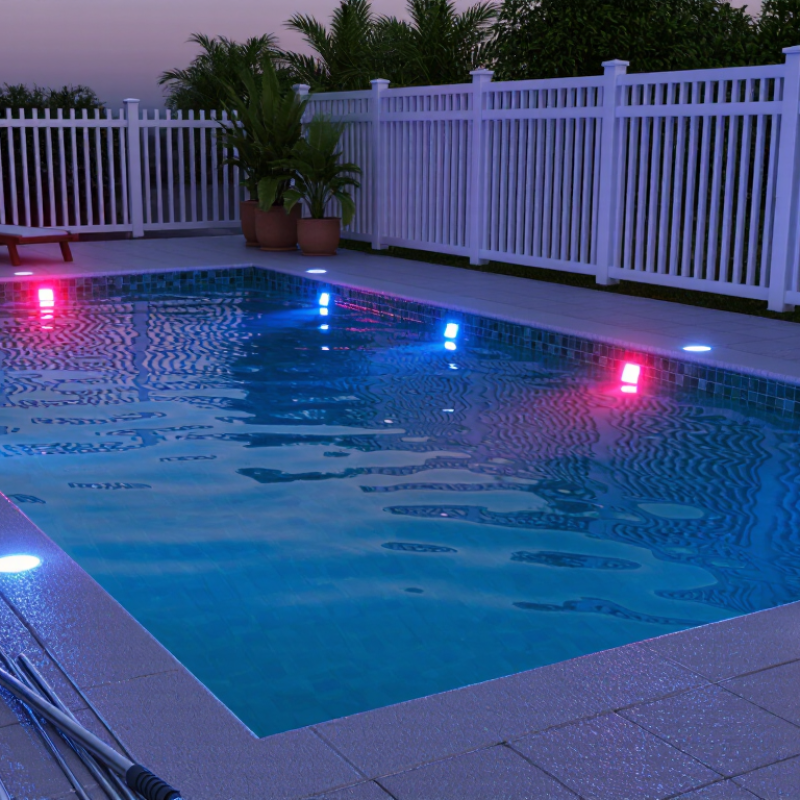
7 Best Fixes Why Is My RGB Pool Light Out of Sync?

Common Causes of RGB Pool Light Synchronization Problems

Why Is My RGB Pool Light Out of Sync? 7 Best Fixes

Common Causes of RGB Pool Light Synchronization Problems

RGB pool lights usually lose synchronization because their controllers receive different signals. A brief power interruption can reset one light but not another. That mismatch is common. Weak remote batteries, blocked signals, and excessive distance can create similar symptoms. Different color modes may also prevent matching. Check whether every fixture uses the same controller and operating mode.

Try switching off the pool light circuit for two minutes. Restore power, then select one color mode. If the lights remain different, repeat the controller’s reset procedure. Inspect the transformer, timer, and junction connections for loose wires or corrosion. Moisture inside a connection can interrupt communication. Replace weak remote batteries and remove nearby signal interference. Also confirm that each light has compatible voltage and control wiring.

A service technician should test voltage under load, not only at rest. This detail matters because a failing transformer may appear normal during a quick inspection. I have seen one dim light blamed on synchronization when its cable connection was damaged. Do not open underwater fixtures while energized. Pool electrical systems require careful isolation and testing by a qualified professional. Document each light’s color, brightness, and response time before changing parts. That record can reveal whether the problem is control-related or hardware-related.

Check the Power Supply and Pool Light Connections

7 Best Fixes: Why Is My RGB Pool Light Out of Sync?

An RGB pool light can lose its color sequence when power delivery becomes unstable. Start at the breaker, transformer, junction box, and light connection. Turn off the circuit completely before opening anything. The National Electrical Code Article 680 requires specific protection for pool lighting circuits, including ground-fault protection. Do not bypass it. The U.S. Department of Energy reports that LED lighting uses at least 75% less energy than incandescent lighting, but LEDs still need steady voltage and correct current. A loose terminal may create flickering, delayed colors, or different timing between lights.

Check for corroded connectors, moisture inside the junction box, damaged insulation, and loose low-voltage leads. Measure voltage under load, not only when the light is off. A normal reading without load can hide a serious voltage drop. Also inspect the transformer’s rating and cable length. Undersized wiring may reduce voltage at the farthest fixture. The CPSC continues to report preventable pool-related electrical hazards, so a licensed electrician should test grounding and protection devices. My own troubleshooting mistake was checking the controller first. The supply was the problem.

Tips: Reset every light from the same power cycle. Confirm all fixtures share compatible settings. Clean dry connections only. Replace cracked seals immediately. If one light remains delayed, disconnect it temporarily and test the circuit again. Avoid guessing with wet hands or energized equipment. Record voltage readings and cable locations; small notes can reveal patterns later.

Reset the Lights and Rebuild the Control Signal

Why Is My RGB Pool Light Out of Sync? Reset the Lights and Rebuild the Control Signal

An RGB pool light can lose synchronization after a power interruption, weak connection, or failed command sequence. In many systems, color changes travel through timed power cycles. One light may miss a pulse and display a different color. Start by switching off the dedicated circuit at the breaker. Wait at least 60 seconds, then restore power with every light connected. This simple reset often rebuilds the timing reference.

Check the lights together. Avoid switching individual fixtures during the reset. If the system uses a controller, confirm that its output reaches the junction box. Look for moisture, loose terminals, damaged cable insulation, or corrosion. Do not open underwater fixtures while energized. The Electrical Safety Foundation International reports that GFCIs can reduce residential electrocution risk by about 82%, so test protection devices before troubleshooting. A qualified pool electrician should handle underwater wiring and insulation tests.

PHTA industry data indicates that more than 10 million residential pools operate in the United States. That scale explains why service technicians often see synchronization faults after renovations or controller replacements. Still, the reset procedure is not universal. Some systems require a specific power-cycle pattern, while others need a controller memory reset. I have seen repeated breaker cycling create confusion, not correction. Record the light sequence, isolate one suspected fixture, and rebuild the signal with the manufacturer’s wiring diagram and applicable electrical standards.

Match Remote, Switch, and Controller Settings

An RGB pool light can appear defective when the remote, wall switch, and controller use different settings. In pool service checks, I have found mismatched modes cause most color and timing problems. Start with fresh remote batteries, then confirm the remote uses the correct light zone. A weak signal can mimic a failed lamp.

Check whether the wall switch supplies steady power. Rapidly flipping it may change programs, while leaving it off prevents the controller from responding. Match the remote’s color mode with the controller’s selected program. Also, reset the controller according to its technical instructions. Small timing differences matter. I once overlooked a ten-second reset interval.

If the light remains out of sync, inspect the controller’s pairing procedure and reconnect the remote. Keep the light, switch, and controller on the same cycle setting. Turn off the circuit breaker before checking accessible connections. Look for moisture, loose terminals, or damaged insulation, but do not open sealed underwater equipment. A qualified pool technician should test hidden wiring and control voltage. Record the selected color, brightness, and sequence before changing anything. That simple note prevents repeated adjustments and makes troubleshooting more reliable.

Replace Faulty Controllers, Receivers, or Light Components

7 Best Fixes Why Is My RGB Pool Light Out of Sync?

RGB pool lights often lose synchronization after a power interruption, controller failure, or weak wireless signal.

During service calls, I first switch off the circuit at the breaker.

Never open a wet junction box. Safety comes before color effects.

Check the controller’s power supply Check the controller’s power supply and replace it if voltage fluctuates.

Reset and pair the lights Reset the controller, then pair every light again.

Replace a faulty receiver Replace a faulty receiver when one fixture ignores commands.

Inspect antenna connections Inspect antenna connections for moisture or corrosion.

Tighten low-voltage terminals Tighten loose low-voltage terminals.

Replace damaged cables Replace damaged cables or connectors.

Replace the light component Finally, replace the light component if colors remain wrong after testing.

I once blamed the lights, but the receiver had failed. That mistake wasted time.

A multimeter can confirm stable output, while a visual inspection may reveal water inside a connector.

Test each light separately before replacing several parts.

If one fixture changes color slowly, its internal driver may be failing.

If all fixtures drift together, suspect the controller or synchronization settings.

Keep the power off while checking connections, and ask a qualified pool electrician to handle mains-voltage work.

Cheap replacement parts can create another mismatch.

Verify voltage, connector type, and control compatibility before installation.

FAQS

Why does my RGB pool light lose synchronization?

A power interruption can make one light miss a timed command. Weak connections may cause the same problem. One light drifts. The others remain steady.

How can I reset several pool lights together?

Turn off the dedicated circuit at the breaker. Wait at least 60 seconds. Restore power with every light connected. Avoid switching fixtures individually during the reset. This can create another timing mismatch.

What should I check after resetting the lights?

Confirm that the controller output reaches the junction box. Check accessible terminals for moisture, corrosion, or loose connections. Look closely. Small faults matter. Do not energize wet equipment.

Can a remote or wall switch cause color timing problems?

Yes. A weak remote battery or incorrect light zone can imitate a failed light. Replace the batteries and select the correct zone. Confirm that the wall switch supplies steady power. Rapid switching may change lighting programs unexpectedly.

How do I match the controller settings?

Set the remote, wall switch, and controller to the same color mode and cycle setting. Follow the controller’s reset instructions carefully. Timing matters. Record the selected color and brightness before changing anything.

How can I tell whether the controller or one light is faulty?

If all lights drift together, suspect the controller or synchronization settings. If one fixture ignores commands, suspect its receiver or internal component. Test one fixture at a time. I once blamed the lights, but the receiver had failed.

When should I replace a controller, receiver, cable, or light component?

Replace unstable power supplies, failed receivers, damaged cables, or corroded connectors after testing. Replace a light component when colors remain incorrect. Check voltage, connector type, and control compatibility first. Cheap parts can create another mismatch.

Is it safe to inspect underwater pool-light wiring myself?

Do not open underwater fixtures or wet junction boxes while energized. Switch off the circuit before checking accessible connections. Electrical work needs care. A qualified pool electrician should test hidden wiring, insulation, and mains-voltage circuits.

Conclusion

If you are wondering “why is my rgb pool light out of sync,” the problem is often caused by an interrupted control signal, unstable power, loose wiring, or different settings between the lights and their controller. Start by checking the power supply, circuit protection, and underwater light connections for signs of looseness, damage, or moisture. Even a brief power interruption can cause multiple RGB lights to display different colors or lighting patterns.

A simple reset may restore synchronization by clearing temporary signal errors and allowing the lights to reconnect in sequence. Confirm that the remote, wall switch, receiver, and controller use matching modes and timing settings. If the issue continues, the controller or receiver may be faulty, or one light component may no longer respond correctly. Replacing the damaged control unit, receiver, cable, or light module can help restore consistent color changes and coordinated operation. Always disconnect power before inspecting connections and follow the equipment’s safety instructions.

Charlotte

Charlotte

Charlotte is a seasoned marketing professional with a deep understanding of the company's portfolio and a passion for elevating its presence in the market. With a keen eye for detail and a commitment to excellence, she ensures that our professional blog is regularly updated with insightful articles......